Photo to STL, made for makers.

Photo to STL. A new dimension.

Shape a portrait, a pet or an idea into a relief. Prepare your image here, choose the dimensions, then generate files for your next physical project.

JPG, PNG or WebP · up to 10 MB

Your photo stays in this browser until you submit.

Replace your current photo draft?

The new photo will replace this browser’s draft and edit history. Saved projects will remain.

An image. A relief. Your next project.

Four starting points for a keepsake, a gift, a brand or a decorative panel.

AI-created source images, converted with Meshy Relief via FAL. These are actual model renders; no physical prints or carvings have been tested.

A familiar face, made into a keepsake

A front-facing golden retriever on a clean background gives the muzzle, ears and chest fur space to become a keepsake plaque.
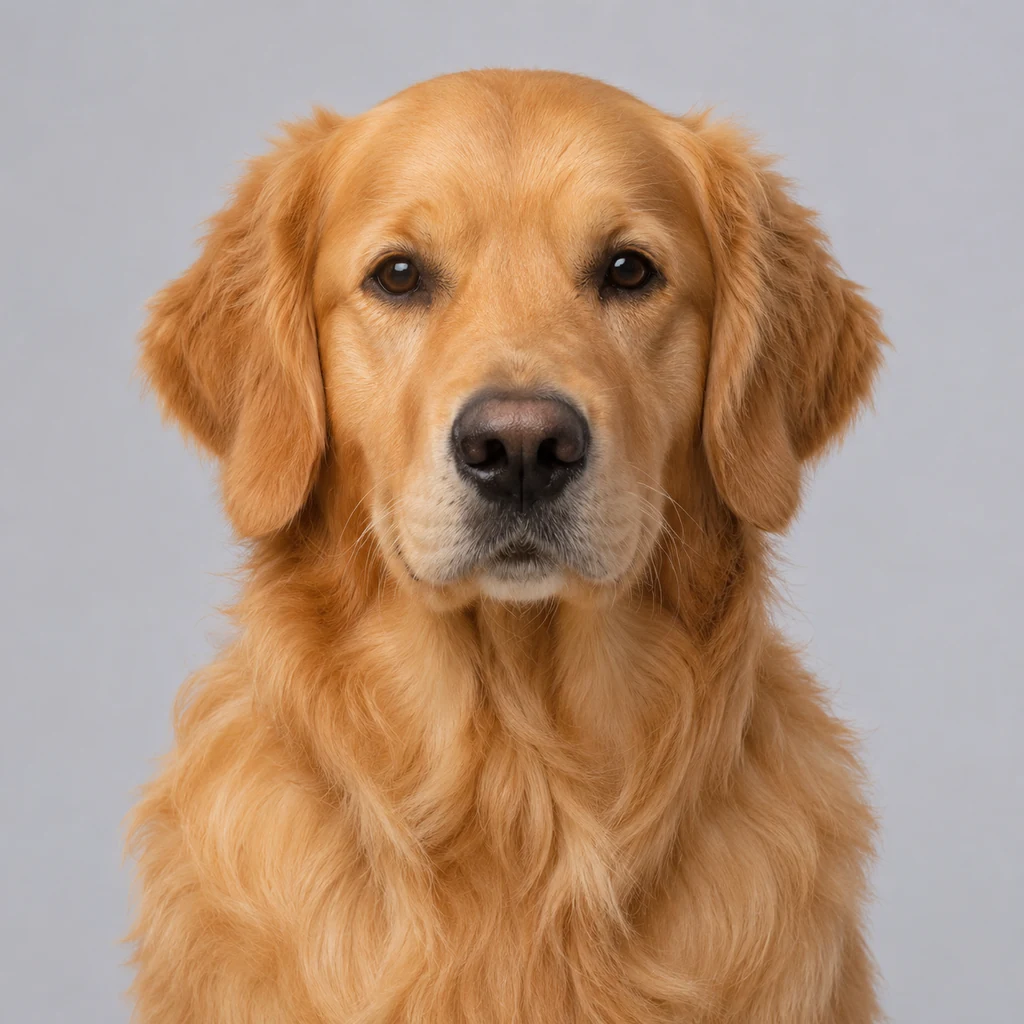
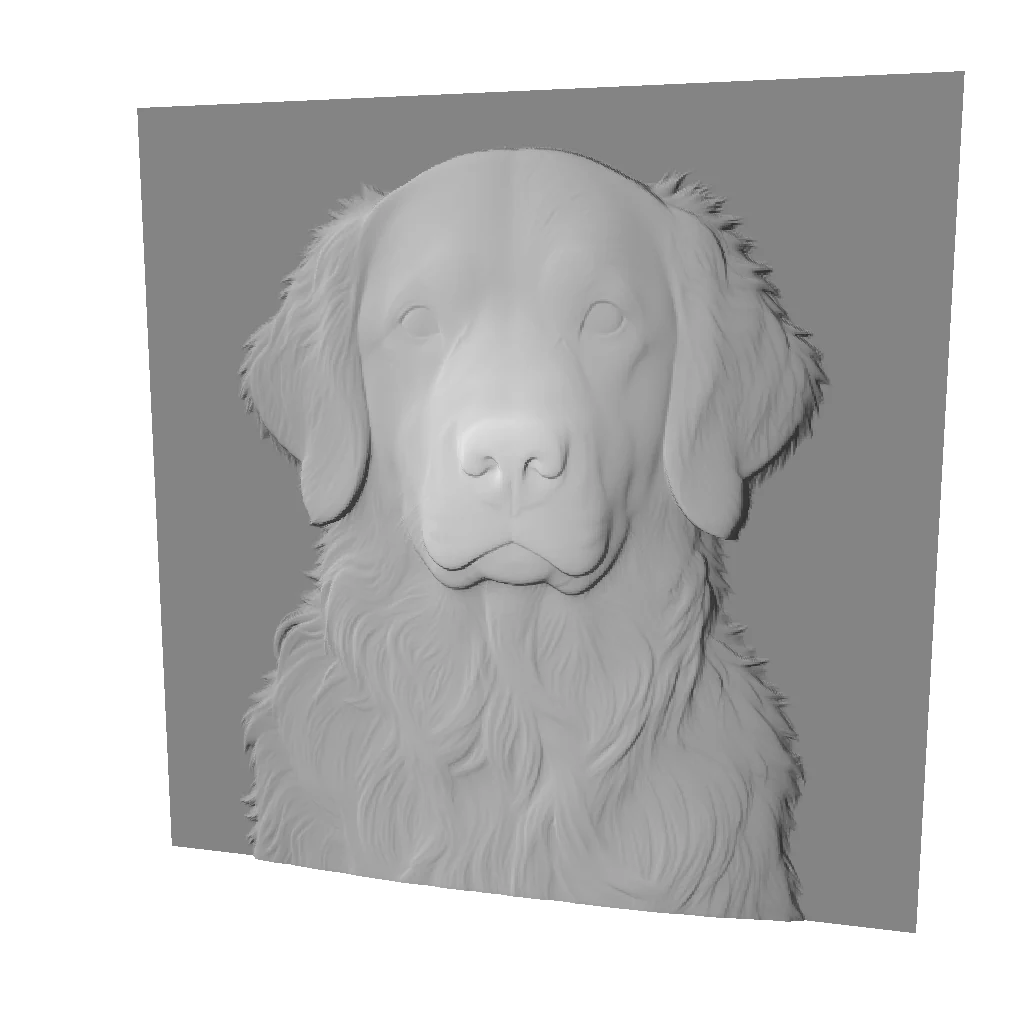
Front-facing golden retriever portrait against a plain background
Source image
Pet keepsakes — Generated relief

The model retains the muzzle and raised fur detail. Check fine fur in your slicer; this is a shallow relief, not a full pet statue.

Explore this workflow
Longest side
100 mm
Relief depth
6 mm
Base
2 mm

Embossed · base retained · no bend · mesh 512
From a flat image to something you can hold.

  1. Frame the subject

    Crop distractions, rotate the image and keep the outline intact. Editing happens in your browser.

  2. Choose the purpose

    Set millimeters, depth and a base. The grayscale preview is a brightness simulation, not an AI depth prediction.

  3. Make it physical

    Generate STL, GLB and a 16-bit depth map. Inspect the files in your slicer or CAM software before fabrication.

Three files. A world of possibilities.

STL

Ready for your slicer

A relief mesh for 3D printing. Confirm millimeter units, flatness and support needs in your slicer.

GLB

Inspect every angle

A portable model for checking the shape. Load the interactive viewer only when you need it.

16-bit PNG

Control the depth

A grayscale height map for supported engraving workflows. Material tests and machine settings remain your responsibility.

What will you make?

Before you make your first relief

Questions about preparing a photo or an order? Contact support.

Contact support
Is this a complete 3D scan?

No. A single image becomes a shallow relief with a flat or curved back. Hidden surfaces and exact real-world measurements cannot be recovered from one photo.

What is free?

Upload into the browser, crop, rotate, mask and simulate grayscale for free. No image is sent to the model during editing. Formal generation requires credits.

What happens if generation fails?

A failed task returns its consumed credits automatically. Repeated status checks and queue messages do not charge again. A new generation with changed parameters uses a new credit charge.

How long are my files kept?

Source images are kept for 3 days. Result files are available for 72 hours, or 30 days when Studio Pack credits are used. Download a copy before expiry.

Can I send the files straight to a machine?

Inspect dimensions, mesh integrity and material limits first. We do not generate toolpaths or guarantee a safe print, cut or engraving. Start with a small test piece.

Next, prepare your own image

Start with framing and dimensions. Review your image before confirming a generation.

Start with a photoRead the photo preparation guide